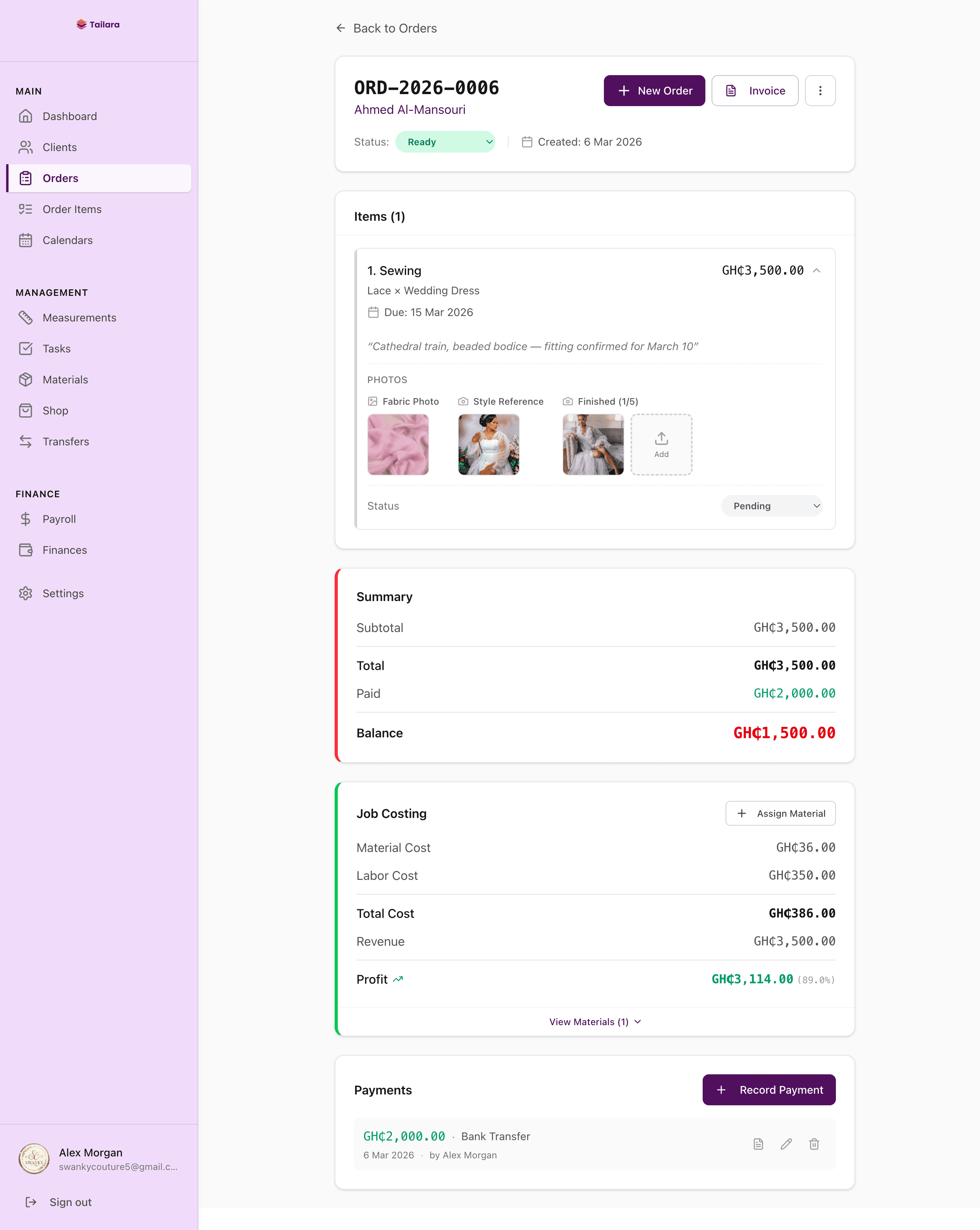
Managing orders is the core of any tailoring business. Every garment moves through stages: the client places the order, fabric is selected, measurements are taken, cutting begins, sewing follows, fitting happens, and finally the finished piece is delivered.
Tailara was built to make every step of that journey visible and trackable. Here is a walkthrough of how it works.
Your dashboard at a glance
When you open Tailara, the first thing you see is your dashboard. It shows your upcoming deadlines, recent orders, revenue trends, and pending payments all in one place.
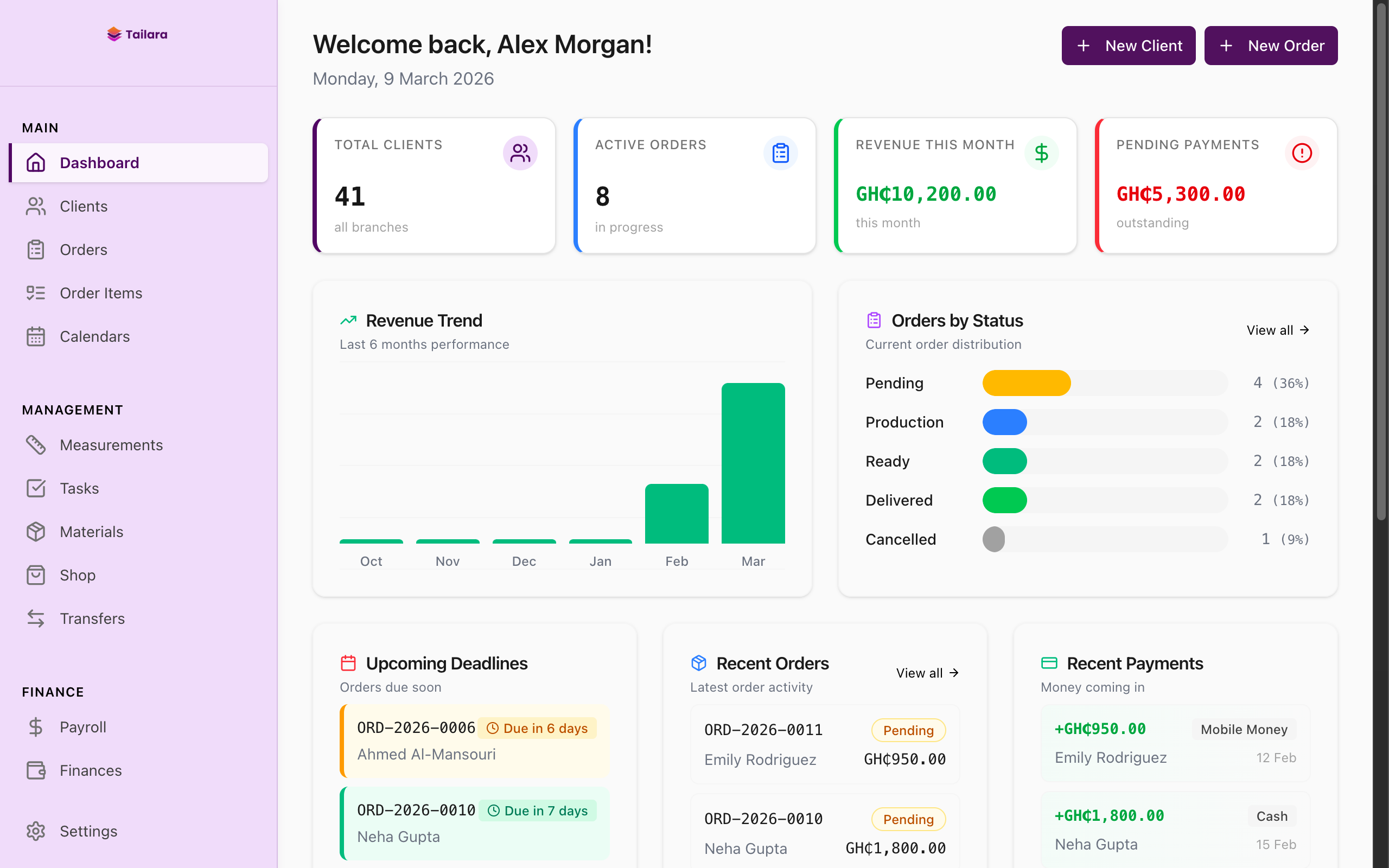
Instead of checking multiple notebooks or spreadsheets, you get the full picture of your business in seconds.
Creating and tracking orders
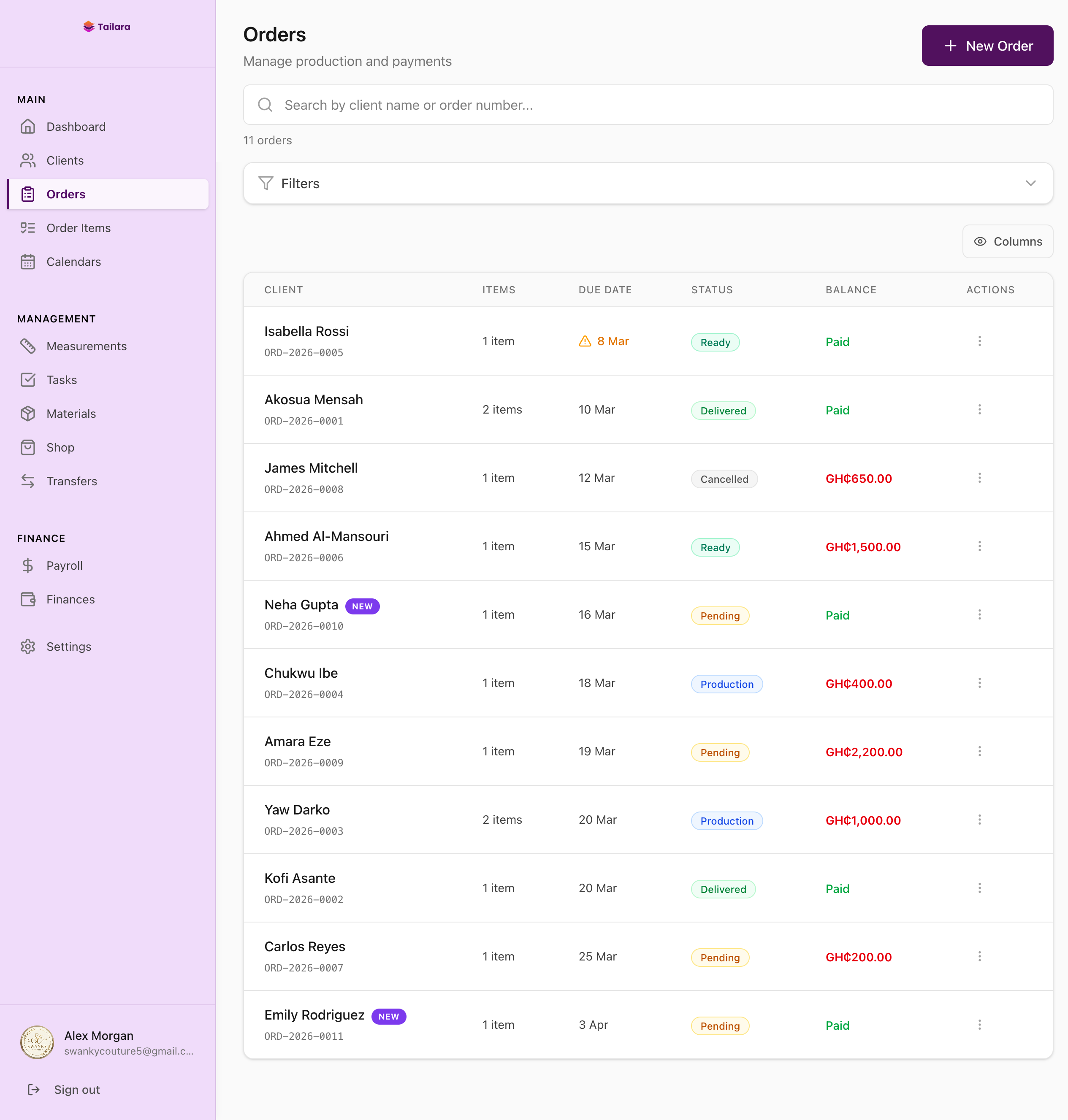
Every order in Tailara has a clear status: Pending, Production, Ready, Delivered, or Cancelled. You can see all your orders in a single list, filter by status, and search by client name.
When you tap into an order, you see everything about it: the line items, fabric details, style references, measurements, payment history, and job costing.
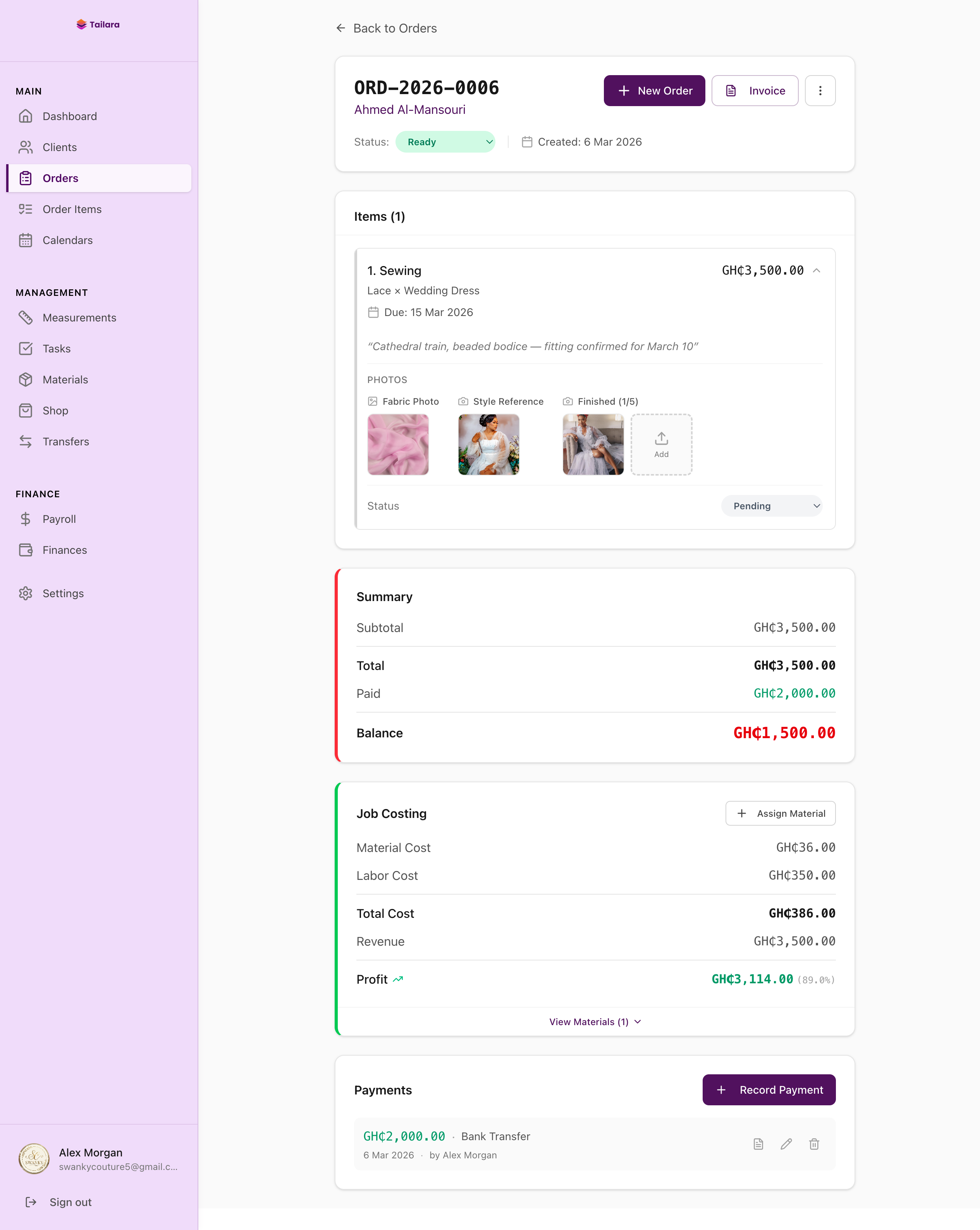
No more digging through notebooks to find what was agreed with the client. Everything lives in one place.
Client profiles and measurements
Every client gets a dedicated profile in Tailara. When you open a profile, you see their contact details, measurement history, past orders, and payment records.
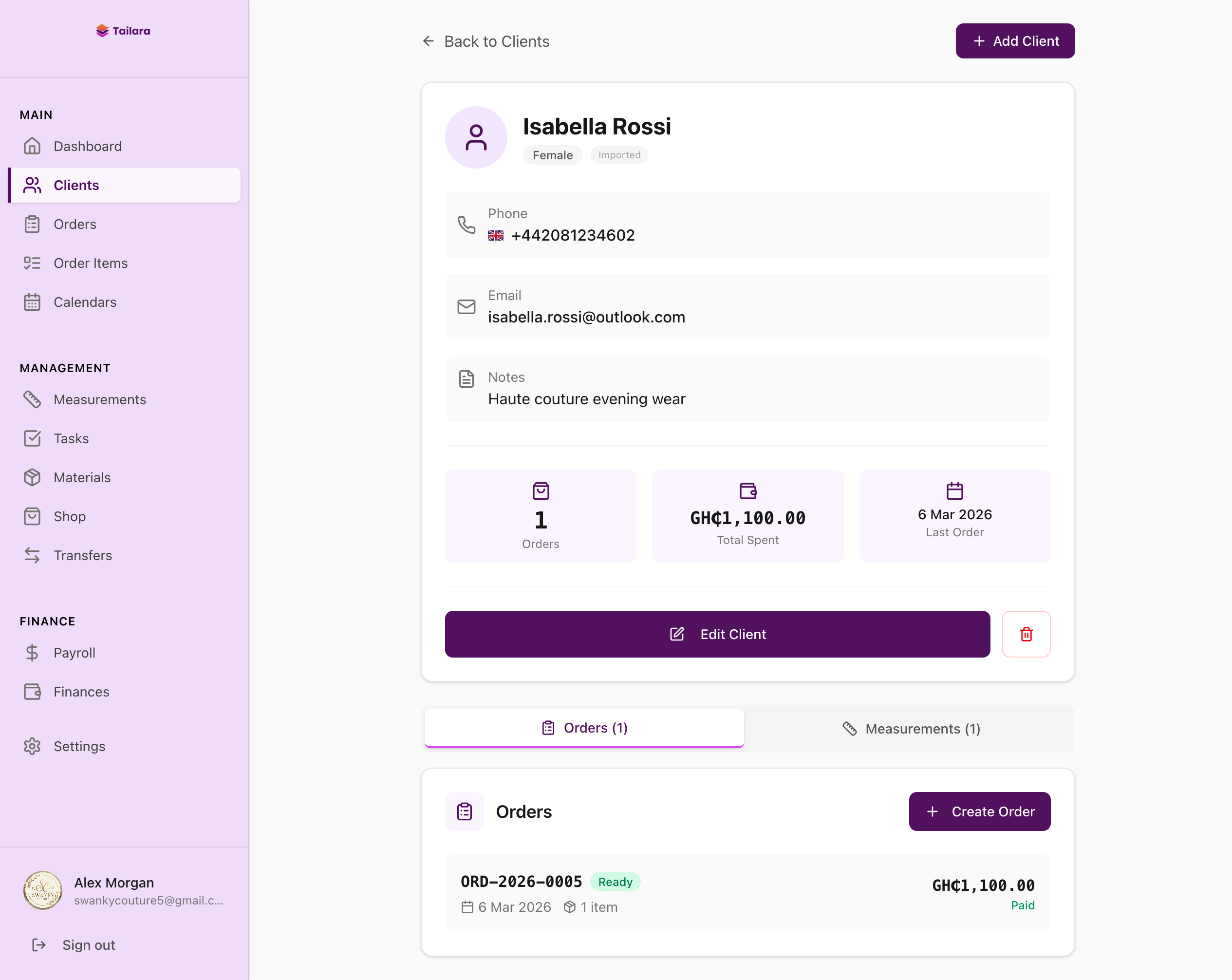
Measurements are structured by garment type. A bust measurement for a dress is stored separately from a chest measurement for a suit. You always know which measurement to use.
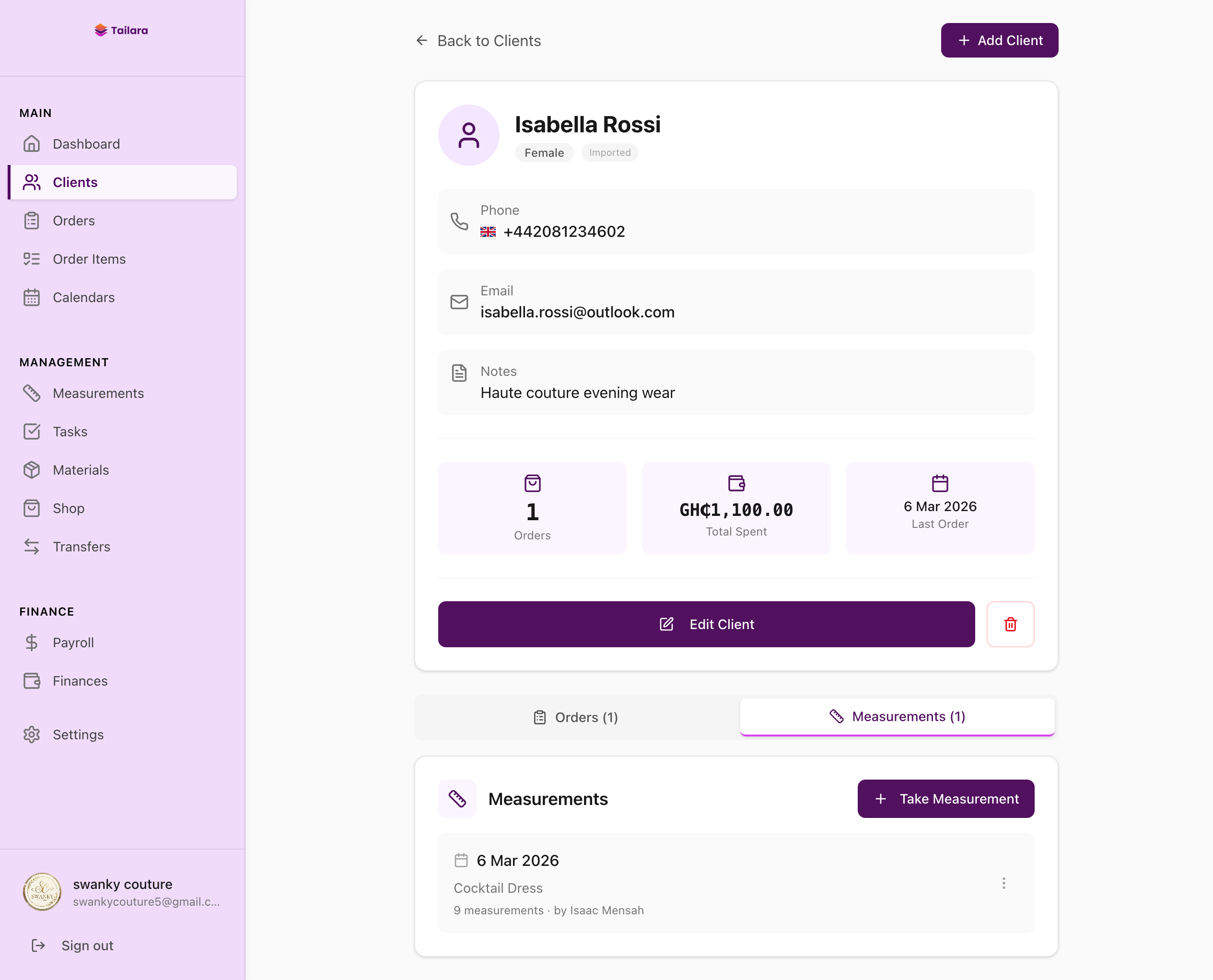
Assigning tasks to your team
For team members who need full access, Tailara provides role-based logins. For cutters, tailors, and beaders, you assign tasks directly and send detailed task sheets via WhatsApp.
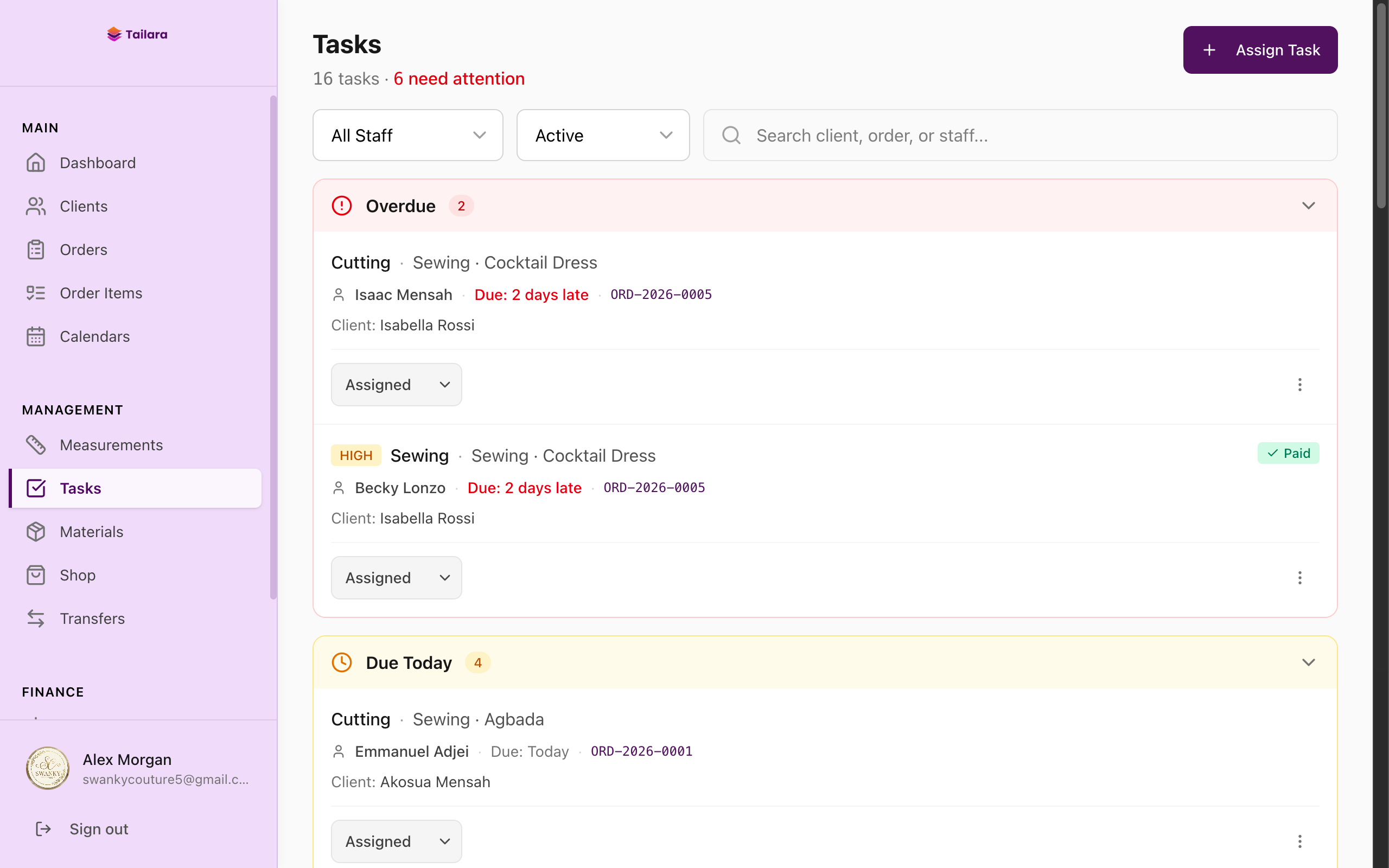
Each task sheet includes the task name, due dates, fabric photos, style references, measurements, and the client name. Your team knows exactly what to do without a phone call.
Tracking finances
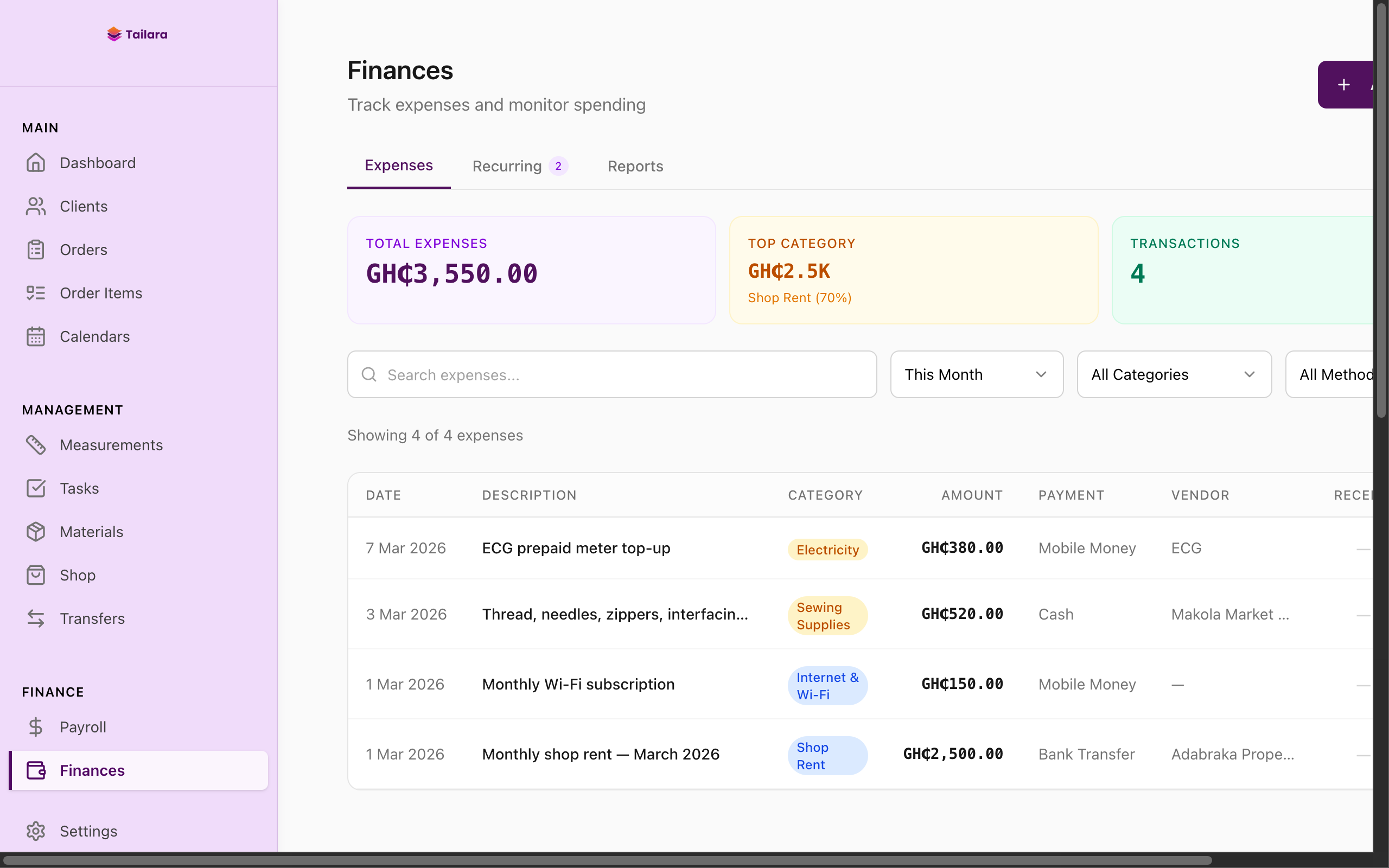
Tailara tracks every payment against its order. You see the total cost, amount paid, and outstanding balance at a glance. The finances section breaks down your revenue, expenses, and profit margins.
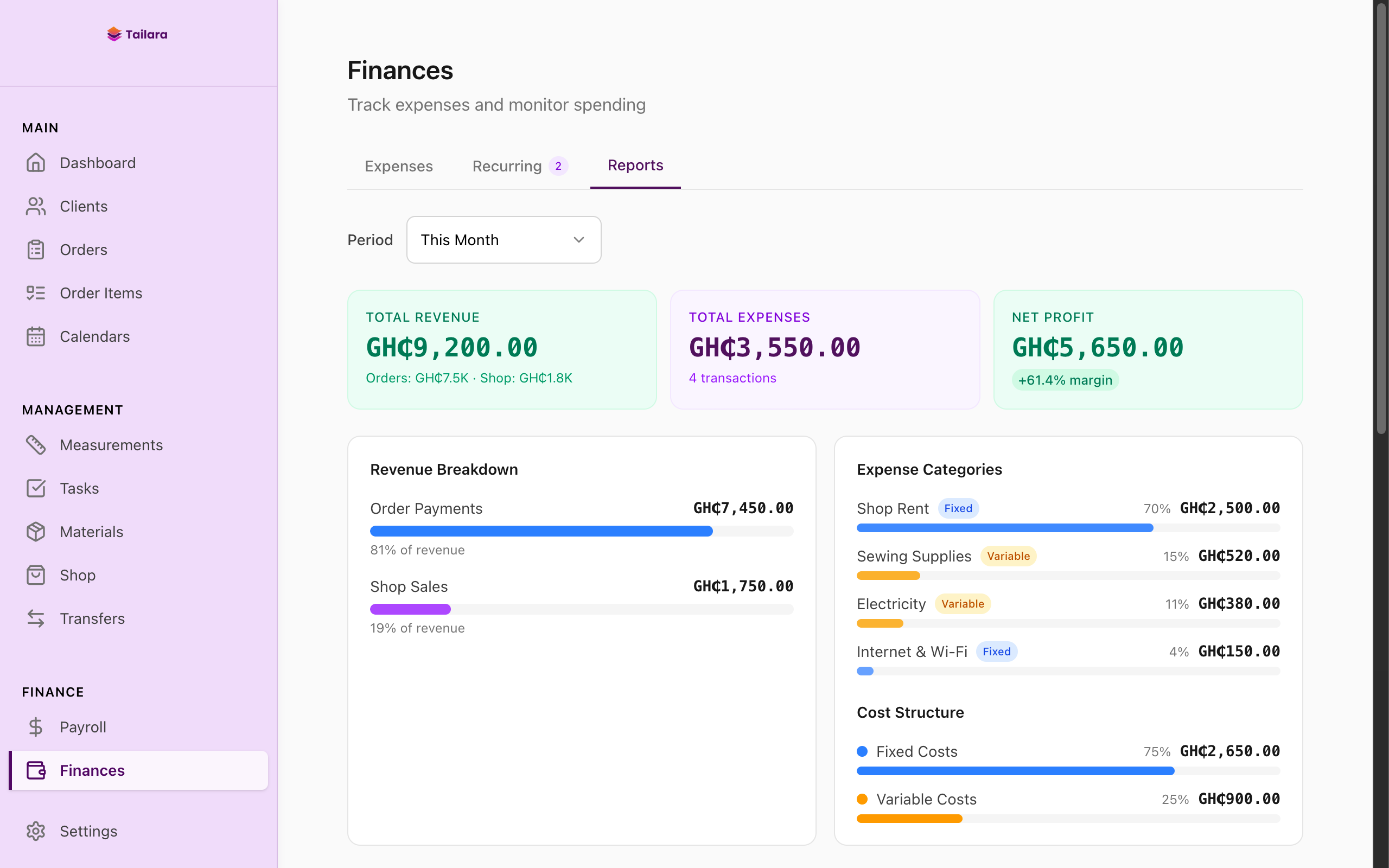
You can also track expenses by category, so you always know where your money is going.
Managing your shop inventory
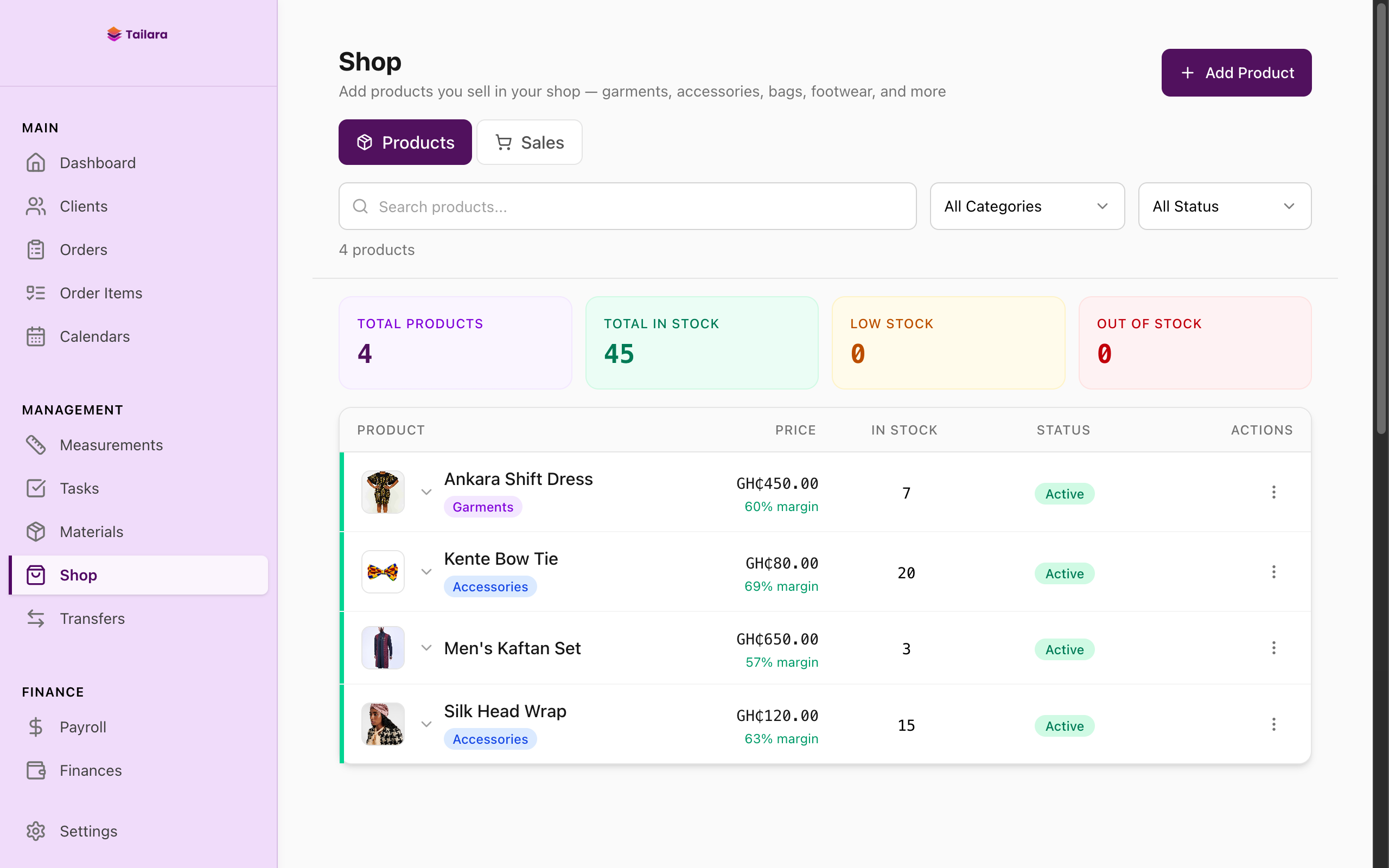
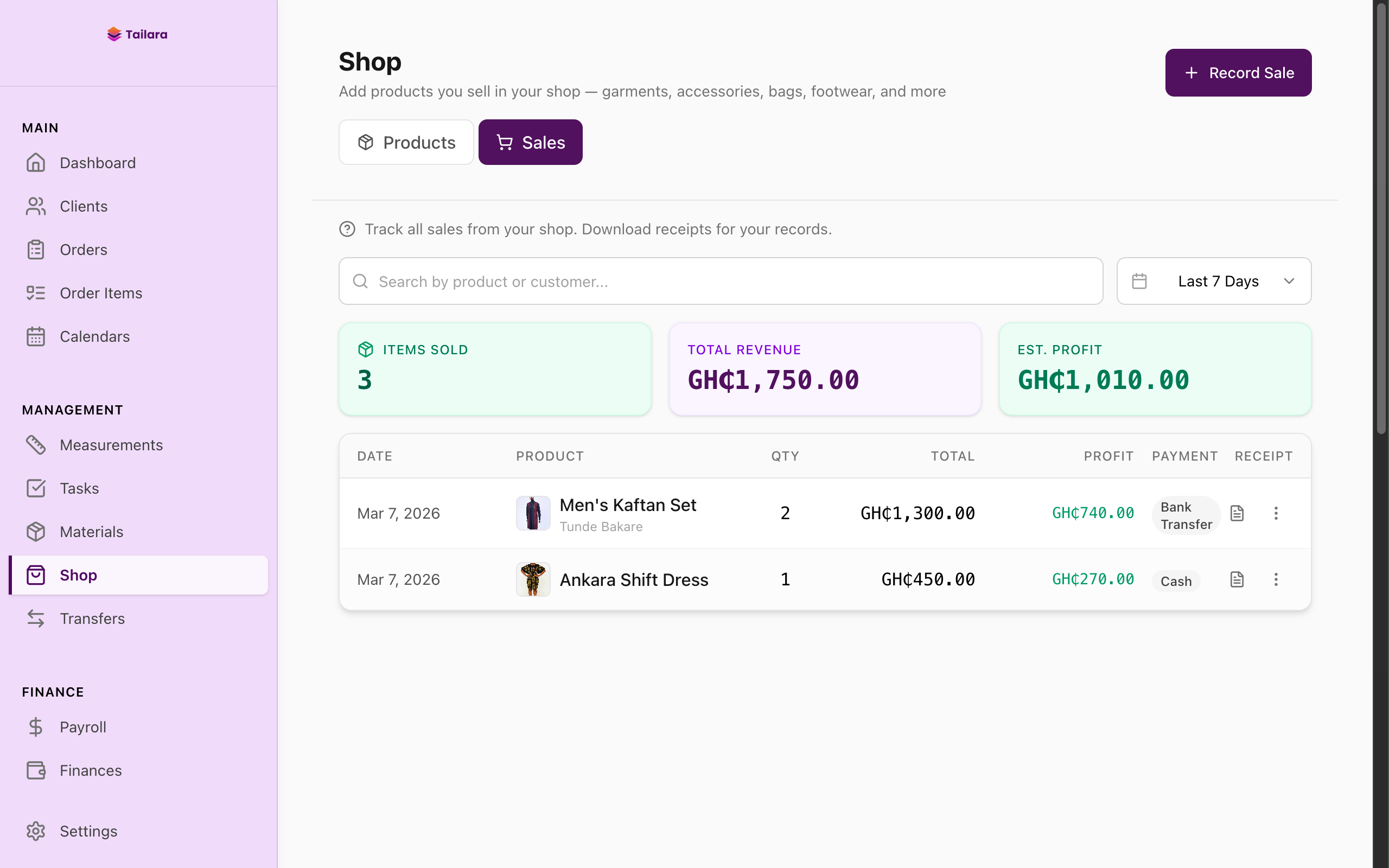
If you sell fabrics, accessories, or ready-made garments alongside your custom tailoring, Tailara has a built-in shop module. You can list products with photos, track inventory levels, and record sales.
Try it yourself
Everything you have seen here is available in the 14-day free trial. No credit card required. Import your existing clients and start managing your orders today.